
Harbor, 100 Days In
We opened the doors on August 1. Here's what happened next.

On August 1 we opened the doors on Harbor. It was a Saturday, because of course it was.
Mac, Windows, the web app, and a web clipper for three browsers went live that morning. The iPhone, iPad, and Android apps were finished and sitting in app review, which runs on Apple’s and Google’s clock, not ours. They showed up a few days later.
That was a hundred days ago. Here’s what happened since.
If you’re new here
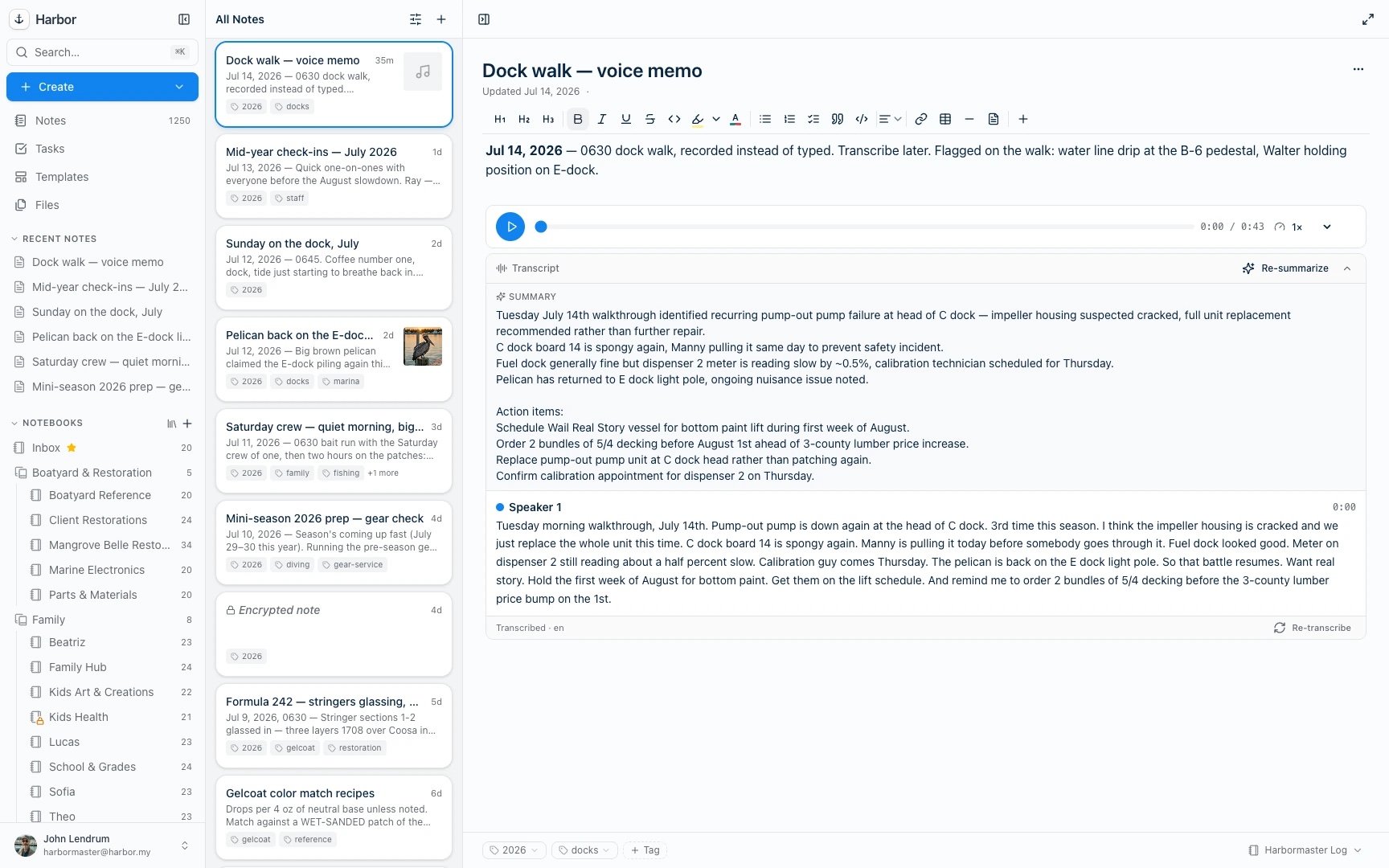
Harbor is a private notes app and second brain. Notes, scanned mail, PDFs, photos, voice memos, and web clips, all in one place and all searchable, including the words inside photos and handwriting. It runs natively on Mac, Windows, iPhone, iPad, Android, and the web, and it works offline.
If you’ve kept your life in Evernote for fifteen years and you’re tired of the price going up every time you look away, we built it for you. We wrote about why back in September.
We kept shipping
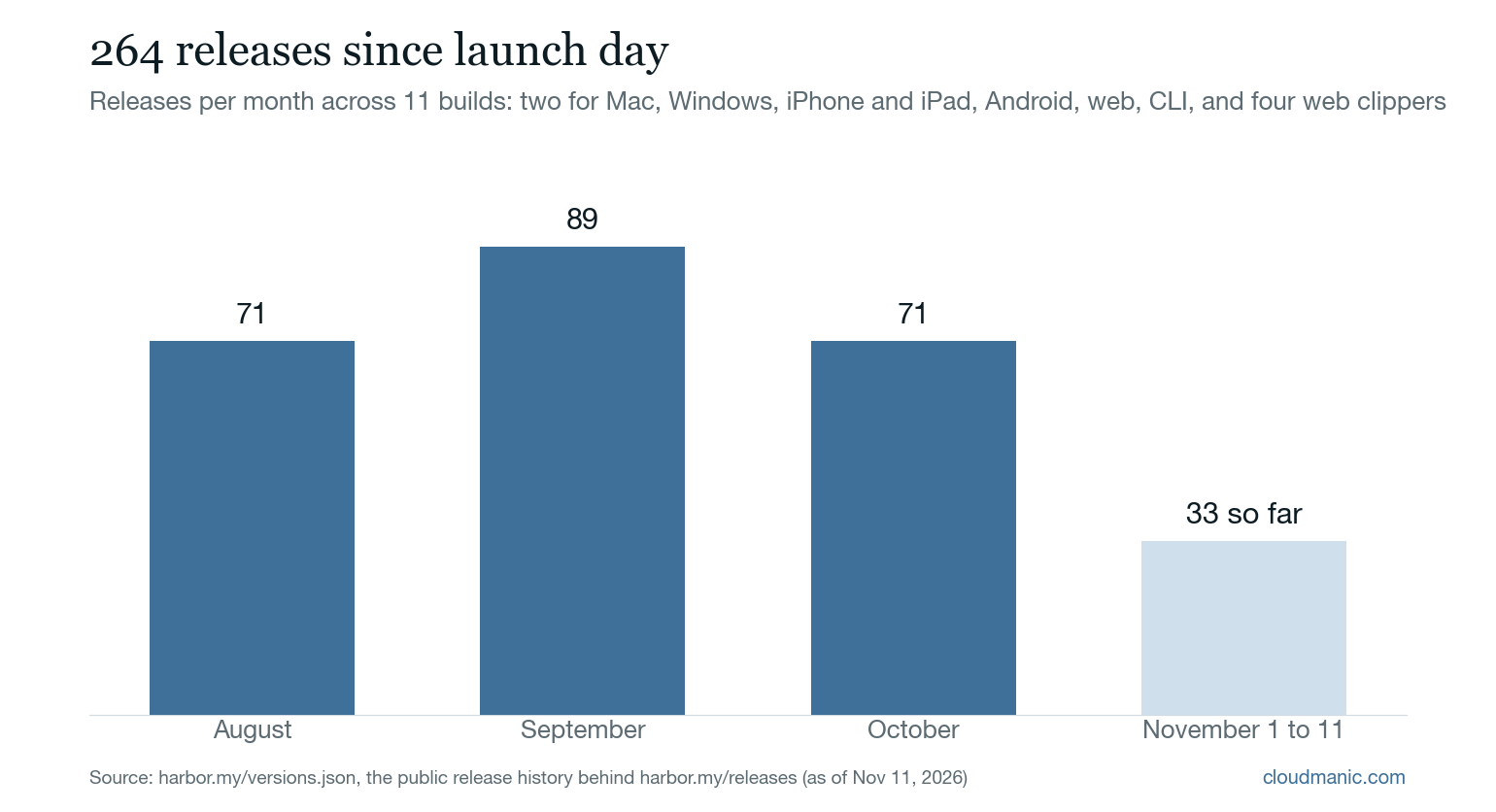
Since launch day we’ve put out 264 releases across 11 builds of Harbor. That counts every update to the two Mac builds, Windows, iPhone and iPad, Android, the web app, the command line, and four browser clippers. It works out to about two and a half a day. Fifty-five of them went out on a weekend.
A sample of what that bought you:
- Moving in got easy. You can now import your whole Evernote account by signing in to Evernote. No export files, and the links between your notes keep working. Standard Notes and UpNote imports came along too. So did an ENEX converter that runs in your browser, so it can’t upload your notes even if it wanted to.
- Workspaces, so work and life stop sharing a sidebar.
- Linking and finding. Type
[[to link a note. Tag as you type. Press ⌘K to start anything. Tables of contents that keep themselves up to date. - Files that act like files. Video and YouTube play right in a note. Draw on your pictures and mark up PDFs. Open an attachment in another app, save it, and the note gets the new version. Files can now be up to 500 MB.
- Scans that file themselves. Point Harbor at a folder and it reads each scan and moves it to the notebook it fits best.
- Reminders. First, reminders that do what you told them. Then reminders that actually arrive. Then reminders that arrive on time. Those are the real release headlines, in that order. We’re not proud of the sequence, but we like where it ended up.
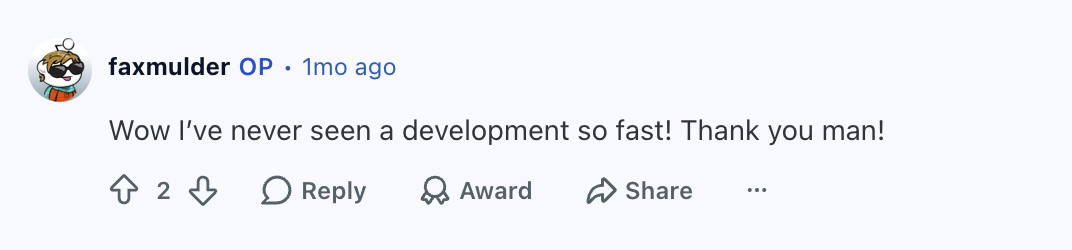
People noticed the pace.
Along the way we launched on Product Hunt, made Harbor $35 a year for teachers, and answered a lot of email.
The growth
There’s one number we watch more than the rest: paying customers. Not signups, not downloads. People who decided Harbor was worth paying for.
Paying customers have grown more than 60% every month since launch, and that undersells it. They roughly tripled in September and more than doubled again in October. At the end of October we had seven times as many as at the end of August.
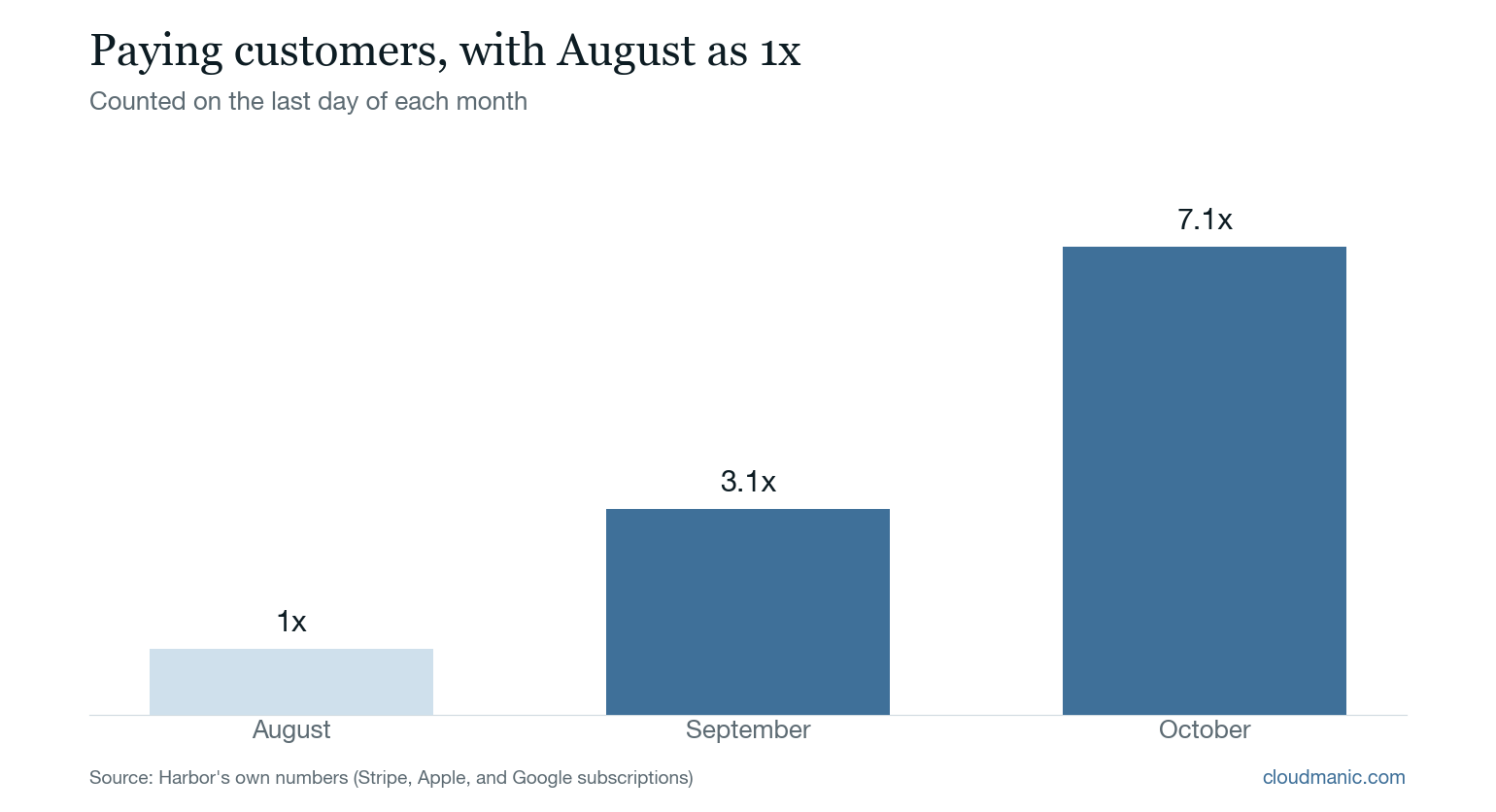
It’s early, and the base is small enough that percentages flatter it. We know. We set ourselves a goal of 40% a month. So far we’re ahead of it.
Every rating on the App Store so far is five stars. That won’t last forever, and it shouldn’t. But we’ll take it for now.
What people are saying
These are real reviews and posts from real people, copied exactly, typos included. First, the App Store:
Best evernote replacement I found yet, and I’ve been searching for years
I found this only a couple days ago, and I’m already an unlimited subscriber, and working on migrating all my notes into here. This is the most complete well-rounded note-taking app I found. Others have had about 80% of what I was looking for. This is nearly 100%.
From an App Store review, November 8.
Better than Evernote in every way
Very complete app that is native on the mac & ios … Feature rich and has 90% of the features that I adored in Evernote. Less than half the price with a price guarantee for 3 years and then no more than 10% increase … Wow! .. Thank you Harbor!!!
From an App Store review, September 29.
And Reddit, where people are not known for being easy to impress:
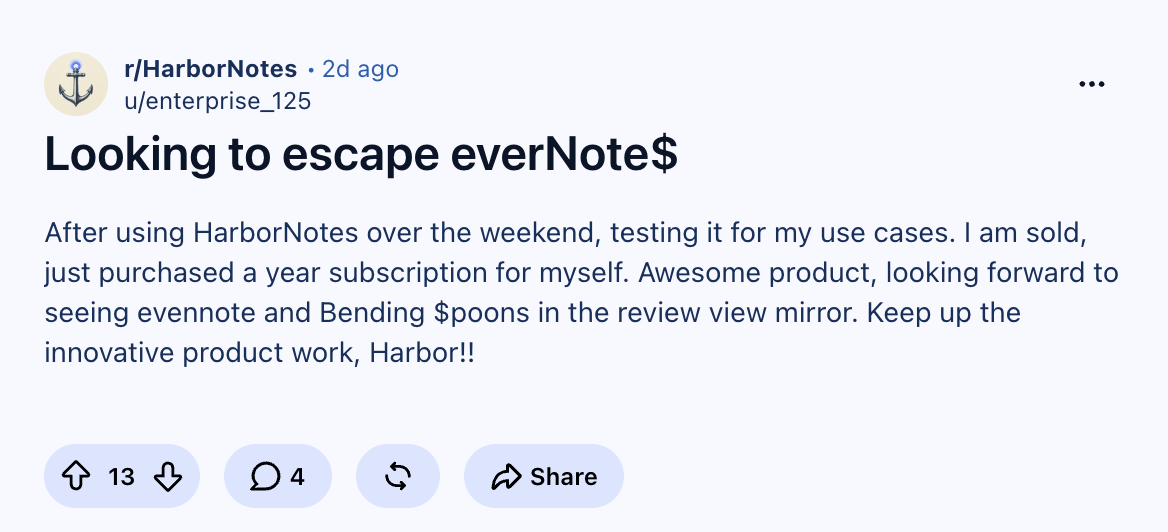
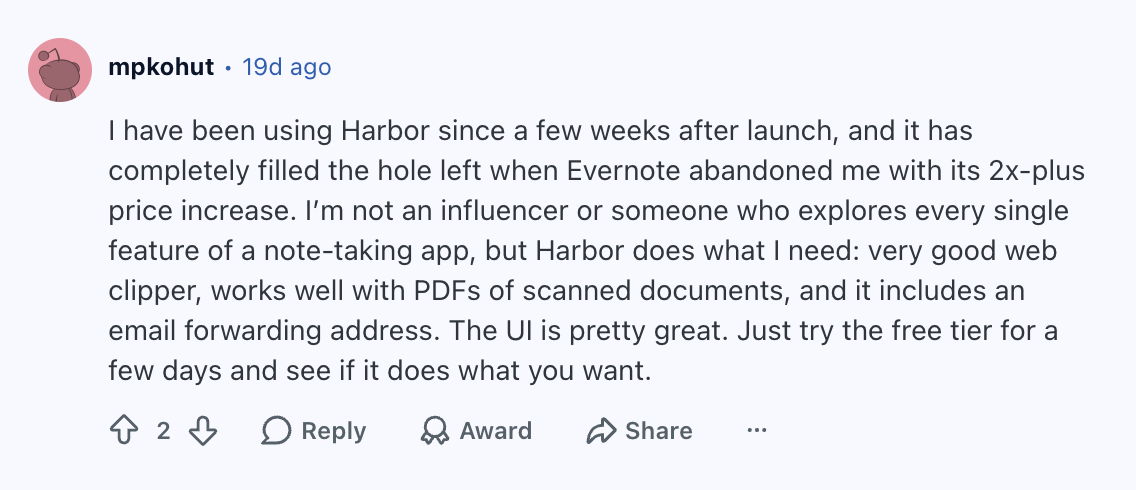
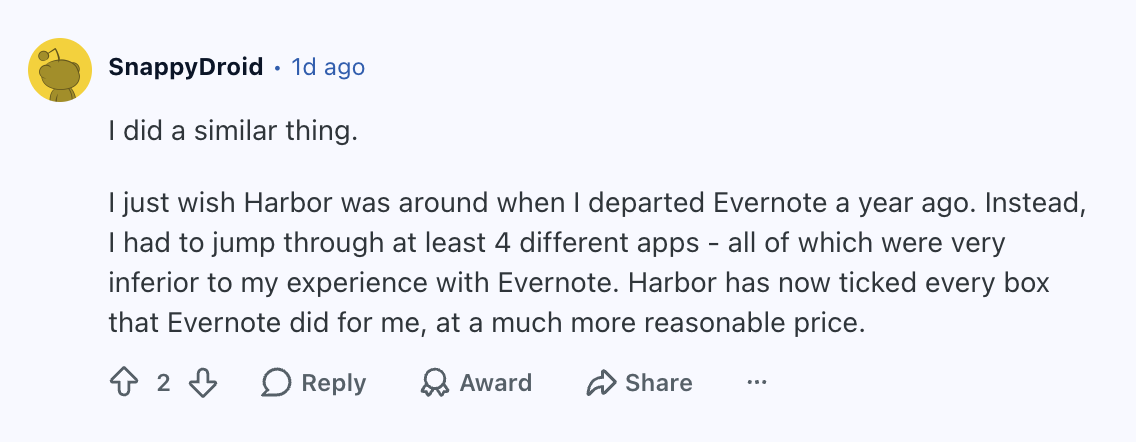
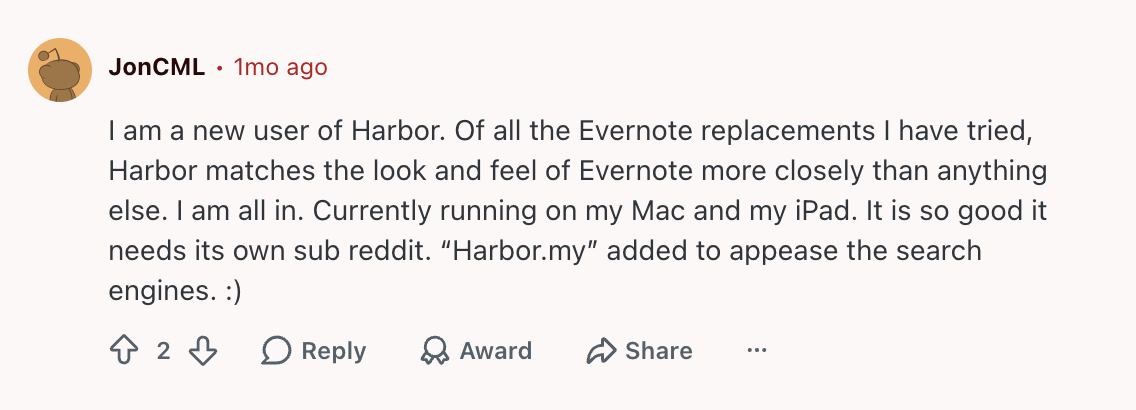
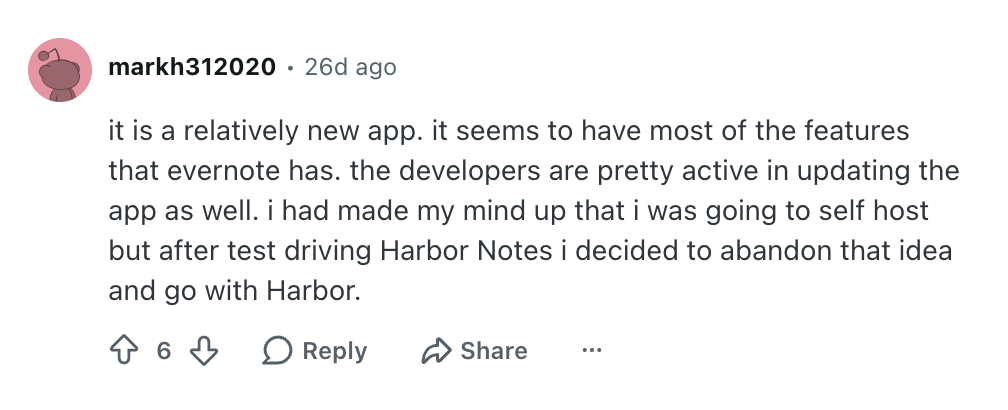
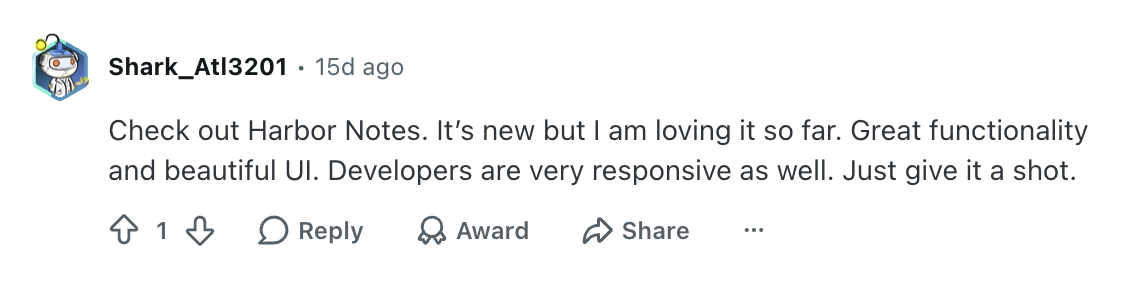
And one more, because it’s about the company as much as the app. Someone moved more than 300 notes by hand, and they did it because of who makes Harbor:
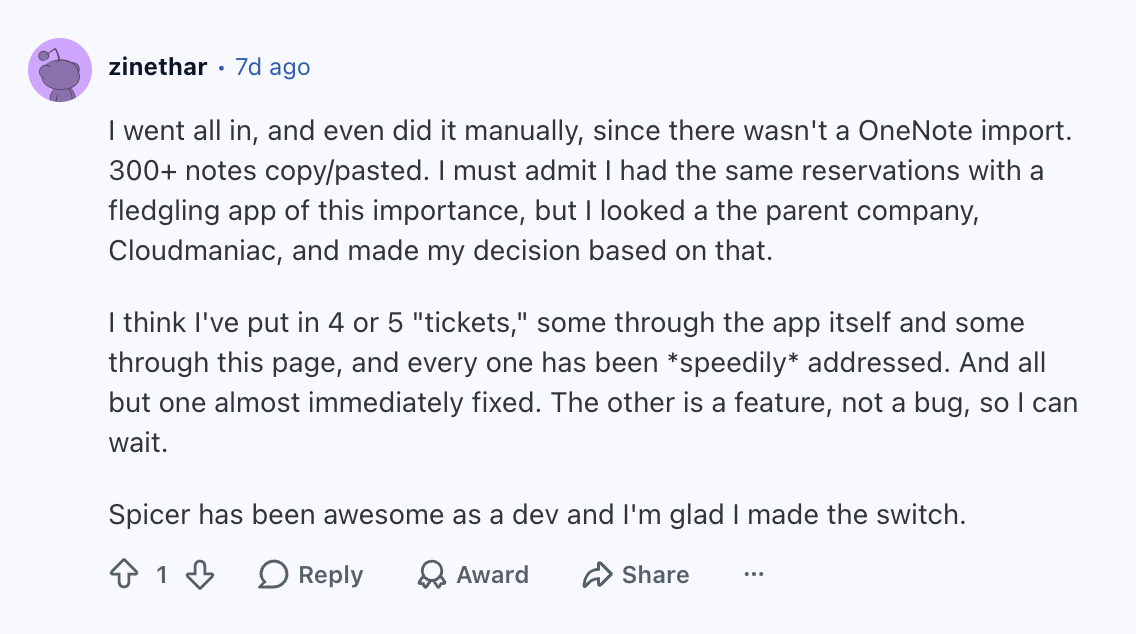
Twenty years of running products comes in handy. For the record, it’s Cloudmanic. We’ll take Cloudmaniac.
What hasn’t changed
A hundred days in, the promises are the ones we wrote down before launch:
- One plan. $9.99 a month or $99 a year, with everything in it, and a free plan to start.
- Your price is locked for three years after you subscribe, and after that it can’t rise more than 10% a year. It’s in writing.
- Stop paying and nothing is held hostage. Your account goes read-only. You can still read, export, and delete everything.
- No AI assistant bolted on. Apart from two small helpers you can switch on (a suggested title, a summary of a recording), Harbor doesn’t have an AI assistant. You already pay for a better one than we’d build, so Harbor gives it a door instead: an API, a command line, and an MCP server, with keys you control.
- Encryption when you want it. Lock a note or a notebook and we genuinely can’t read it.
Keeping those for a hundred days was the easy part. We plan to keep them for twenty years.
If you’ve been waiting to see whether Harbor would stick around, this is it: a hundred days in, still shipping a couple of times a day. It’s free to start, and moving in from Evernote is one step.
Keep reading
All entries →The Lights Were Always On
The last post on this blog was in 2016. Cloudmanic Labs never went quiet — the writing just moved to each product. Here's a decade in one page.
Read →Companies Can Have New Year's Resolutions Too
Cloudmanic Labs' single resolution for 2014: fix customer support. That means faster, personal responses and a brand new self-service support center launching today.
Read →